


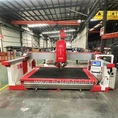
Troubleshooting a waterjet cutting machine when it stops working can be a challenging but essential task for any operator. As a waterjet cutting machine supplier, I've encountered various issues over the years and have developed a systematic approach to diagnosing and resolving problems. In this blog post, I'll share some common causes of waterjet cutting machine failures and provide step-by-step troubleshooting tips to get your machine up and running again.
Common Causes of Waterjet Cutting Machine Failures
Before diving into the troubleshooting process, it's important to understand the common causes of waterjet cutting machine failures. Here are some of the most frequent issues:
- Power Supply Issues: A faulty power supply can cause the machine to stop working. Check the power cord, circuit breaker, and power switch to ensure they are functioning properly.
- Water Supply Problems: Insufficient water pressure or a clogged water filter can lead to poor cutting performance or a complete shutdown. Check the water supply line, pump, and filter for any blockages or leaks.
- Nozzle Wear: Over time, the nozzle can wear out, causing the cutting stream to become uneven or weak. Replace the nozzle regularly to maintain optimal cutting performance.
- Software Glitches: Software issues can cause the machine to malfunction or stop working altogether. Check for software updates and ensure that the machine's operating system is up to date.
- Mechanical Problems: Loose belts, worn bearings, or other mechanical issues can cause the machine to vibrate or make unusual noises. Inspect the machine's components regularly and replace any worn or damaged parts.
Troubleshooting Steps
Now that you're familiar with the common causes of waterjet cutting machine failures, let's dive into the troubleshooting process. Here are the steps you can take to diagnose and resolve issues with your machine:
Step 1: Check the Power Supply
The first step in troubleshooting a waterjet cutting machine is to check the power supply. Make sure the machine is plugged in and that the power switch is turned on. Check the circuit breaker to ensure it hasn't tripped. If the machine still doesn't turn on, check the power cord for any damage or loose connections.
Step 2: Inspect the Water Supply
Next, check the water supply to the machine. Make sure the water pressure is within the recommended range and that the water filter is clean. If the water pressure is too low, check the water pump and the water supply line for any blockages or leaks. If the water filter is clogged, replace it with a new one.
Step 3: Examine the Nozzle
The nozzle is a critical component of the waterjet cutting machine. Over time, it can wear out, causing the cutting stream to become uneven or weak. Inspect the nozzle for any signs of wear or damage. If the nozzle is worn, replace it with a new one.
Step 4: Check the Software
Software glitches can cause the machine to malfunction or stop working altogether. Check for software updates and ensure that the machine's operating system is up to date. If there are any software issues, contact the manufacturer's technical support team for assistance.


Step 5: Inspect the Mechanical Components
Loose belts, worn bearings, or other mechanical issues can cause the machine to vibrate or make unusual noises. Inspect the machine's components regularly and replace any worn or damaged parts. Make sure all the belts are properly tensioned and that the bearings are lubricated.
Step 6: Perform a Test Cut
Once you've completed the troubleshooting steps, perform a test cut to ensure that the machine is working properly. Use a scrap piece of material to test the cutting performance. If the test cut is successful, you can start cutting your actual project.
Additional Tips
Here are some additional tips to help you troubleshoot and maintain your waterjet cutting machine:
- Keep the Machine Clean: Regularly clean the machine to prevent dust and debris from accumulating. Use a soft cloth and a mild cleaning solution to clean the machine's exterior and interior.
- Follow the Manufacturer's Instructions: Always follow the manufacturer's instructions for operating and maintaining the machine. This will help ensure that the machine operates safely and efficiently.
- Train Your Operators: Make sure your operators are properly trained on how to use the waterjet cutting machine. Provide them with the necessary training and resources to operate the machine safely and effectively.
- Schedule Regular Maintenance: Schedule regular maintenance for the machine to prevent problems from occurring. This includes checking the water supply, inspecting the nozzle, and lubricating the mechanical components.
Contact Us for More Information
If you're experiencing problems with your waterjet cutting machine or need more information about our products and services, please don't hesitate to contact us. We're a leading waterjet cutting machine supplier, and we're committed to providing our customers with the highest quality products and services.
For more information about our Water Jet Cutting Machine Stone and Cnc Water Jet Cutting Machine Stone, please visit our website or contact our sales team. We look forward to working with you!
References
- Waterjet Cutting Machine Handbook
- Manufacturer's Operating Manual
- Industry Best Practices for Waterjet Cutting Machine Maintenance